Zed Editor: Trình soạn thảo mã hiệu suất cao viết bằng Rust cho macOS/Linux
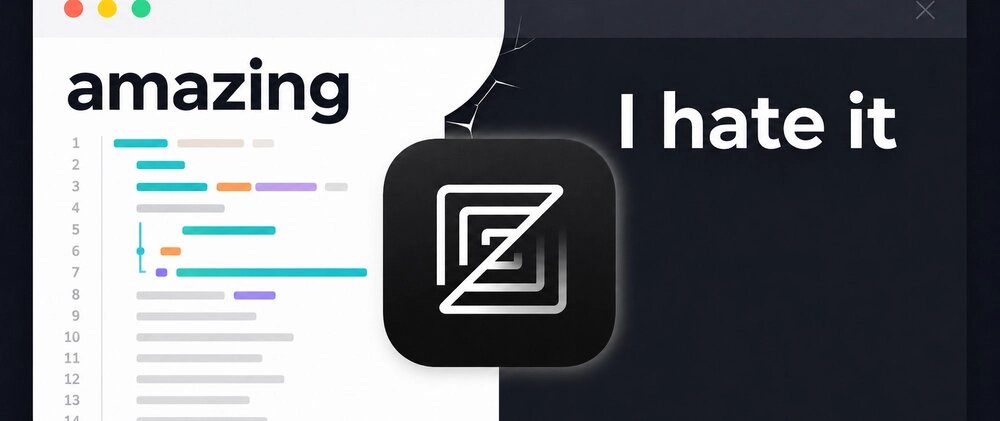
Zed là code editor thế hệ mới, phát hành 1.0 vào tháng 1/2024, được xây dựng từ nền tảng bởi cựu đội ngũ Atom (GitHub) với triết lý: hiệu suất game-engine, UX hiện đại, AI tích hợp sẵn, collaboration real-time. Viết hoàn toàn bằng Rust, dùng GPU rendering (GPUI framework), Zed mở file 100MB trong <100ms, cuộn 60 FPS không giật, khởi động lạnh ~200ms.
Tại sao Zed khác biệt với VS Code, Neovim, Sublime Text?
VS Code dùng Electron (Chromium + Node.js) — RAM cao, khởi động chậm, đơn luồng JS block UI. Neovim nhanh nhưng config Lua phức tạp, thiếu GUI native, LSP setup thủ công. Sublime Text nhanh nhưng closed-source, ecosystem plugin yếu, không có LSP built-in. Zed giải quyết: Rust native + GPU UI + LSP built-in + AI assistant + CRDT collaboration — tất cả out-of-the-box.
Kiến trúc cốt lõi: GPUI — GUI framework viết bằng Rust
- GPUI: Framework UI immediate-mode, GPU-accelerated (Metal/Vulkan), tự phát triển bởi team Zed
- Rust async runtime: Tokio + custom task scheduler — đa luồng thật, không block main thread
- Tree-sitter built-in: Parsing tăng dần (incremental), highlight, navigation, textobjects cho 100+ ngôn ngữ
- LSP client native: Không cần plugin, config qua JSON, hỗ trợ đầy đủ LSP 3.17
- CRDT (Conflict-free Replicated Data Types): Collaboration real-time peer-to-peer, không server trung tâm
Cài đặt Zed
macOS
brew install --cask zed
# hoặc tải .dmg từ https://zed.dev
Linux
# Arch
pacman -S zed

# Ubuntu/Debian (AppImage)
wget https://github.com/zed-industries/zed/releases/latest/download/Zed-linux-x86_64.AppImage
chmod +x Zed-linux-x86_64.AppImage
./Zed-linux-x86_64.AppImage

# NixOS
nix-shell -p zed

# Flatpak
flatpak install flathub dev.zed.Zed
Windows
Windows support đang trong preview (2024 Q4). Dùng WSL2 + Zed Linux build hoặc chờ bản native.
Tính năng nổi bật “out-of-the-box”
1. AI Assistant tích hợp sẵn (không cần extension)
- Inline assistant:
Ctrl+Enter→ hỏi AI sửa code, giải thích, generate test tại chỗ - Panel chat:
Cmd+Shift+A(macOS) /Ctrl+Shift+A— hội thoại nhiều file, context toàn project - Model hỗ trợ: Anthropic Claude (Sonnet/Haiku), OpenAI GPT-4o, GitHub Copilot, Ollama local
- Prompt library: Built-in prompts cho refactor, test, docs, security review
- Privacy: Code chỉ gửi khi bạn trigger, có chế độ “local only” với Ollama
2. Collaboration real-time (như Google Docs cho code)
- Mời đồng nghiệp qua link, không cần tài khoản Zed
- Con trỏ, selection, typing hiển thị real-time với tên/màu từng người
- Voice chat built-in (WebRTC), screen share terminal
- Offline-first: sync khi online, conflict-free nhờ CRDT
3. Terminal tích hợp (task-based, không phải tab-based)
- Define task trong
tasks.json(build, test, dev server, DB migrate) - Task chạy trong panel bottom, output có hyperlink (click vào lỗi → nhảy tới file:line)
- Multiple tasks song song, mỗi task có terminal riêng
So sánh hiệu năng thực tế (MacBook Pro M3, project Rust 50k LOC)
| Metric | Zed | VS Code | Neovim (lazy.nvim) | Sublime Text 4 |
|---|---|---|---|---|
| Cold start | ~200 ms | ~1,8 s | ~80 ms | ~150 ms |
| Mở file 100 MB | ~80 ms | ~3,2 s | ~120 ms | ~200 ms |
| Cuộn 10k lines | 60 FPS | 45 FPS | 60 FPS | 60 FPS |
| RAM idle (project mở) | ~350 MB | ~1,2 GB | ~180 MB | ~220 MB |
| LSP indexing (cold) | ~8 s | ~15 s | ~10 s | N/A |
| Git status refresh | Instant | ~500 ms | Instant | ~200 ms |
Workflow hàng ngày với Zed
Project panel & Fuzzy finder
Cmd+P (macOS) / Ctrl+P — tìm file, symbol, dòng, command trong một interface. Scoring thông minh: ưu tiên file gần, file vừa sửa, test file tương ứng.
Multi-cursor & Structural editing
Cmd+D/Ctrl+D: chọn occurrence tiếp theo (như VS Code)Cmd+Shift+L: chọn tất cả occurrence- Tree-sitter aware:
Alt+Up/Downexpand/shrink selection theo AST node
Git integration
- Inline blame: hover dòng → xem author, commit, time
- Interactive staging: click hunk → stage/unstage, amend commit message
- Conflict resolver 3-pane (base/ours/theirs) visual
Debugging (DAP client built-in)
# launch.json (tương thích VS Code)
{
  "configurations": [
    {
      "name": "Debug Rust",
      "type": "lldb",
      "request": "launch",
      "program": "${workspaceFolder}/target/debug/myapp"
    }
  ]
}
Cấu hình Zed: JSON + keymap tùy chỉnh
File config: ~/.config/zed/settings.json
{
  "theme": "Catppuccin Mocha",
  "font_family": "JetBrains Mono",
  "font_size": 14,
  "line_height": 1.6,
  "buffer_font_family": "JetBrains Mono",
  "buffer_font_size": 13,
  "tab_size": 2,
  "hard_tabs": false,
  "show_whitespaces": "selection",
  "scrollbar": { "show": "auto" },
  "minimap": { "show": true },
  "relative_line_numbers": true,
  "cursor_blink": true,
  "vim_mode": true,
  "auto_save": "on_focus_change",
  "format_on_save": "language_server",
  "languages": {
    "Rust": { "format_on_save": "on", "language_servers": ["rust-analyzer"] },
    "TypeScript": { "format_on_save": "on", "language_servers": ["vtsls", "eslint"] },
    "Python": { "language_servers": ["pyright", "ruff"] }
  },
  "terminal": {
    "shell": "fish",
    "working_directory": "current_project_directory"
  }
}
Keymap tùy chỉnh (Vim mode + custom)
File: ~/.config/zed/keymap.json
[
  { "context": "Editor", "bindings": {
    "ctrl-p": "file_finder::Toggle",
    "ctrl-shift-p": "command_palette::Toggle",
    "ctrl-": "terminal::Toggle",
    "ctrl-shift-f": "search::Toggle",
    "alt-enter": "assistant::Toggle",
    "ctrl-enter": "assistant::InlineAssistant",
    "space space": "workspace::NewFile"
  }},
  { "context": "VimControl", "bindings": {
    "j k": ["vim::ExitInsertMode"],
    "g d": "lsp::GoToDefinition",
    "g r": "lsp::GoToReferences",
    "g i": "lsp::GoToImplementation",
    "K": "lsp::Hover",
    "": "code_actions::Apply"
  }}
]
Extension ecosystem (đang phát triển)
Zed dùng extensions API ổn định (khác VS Code). Các extension chính thức:
- Language servers: rust-analyzer, vtsls, pyright, gopls, clangd, zls (Zig), nixd (Nix)
- Formatters: prettier, ruff, biome, stylua, shfmt
- Themes: Catppuccin, Tokyo Night, Dracula, Gruvbox, One Dark, Nord
- Tools: gitlens-style blame, todo tree, markdown preview, database client
Cài extension: Cmd+Shift+P → “Extensions: Install” → tìm tên. Hoặc thêm vào settings.json:
"extensions": { "auto_install": ["rust-analyzer", "prettier", "catppuccin-theme"] }Hạn chế cần cân nhắc
- Windows chưa ổn định: Native build đang preview, một số bug GPU driver
- Ecosystem extension nhỏ: Chưa có marketplace phong phú như VS Code (đang mở rộng)
- Không hỗ trợ Remote SSH/Containers/WSL built-in: Phải dùng SSH fs mount hoặc chạy Zed trên remote qua SSH X11 forwarding (phức tạp)
- Vim mode chưa đầy đủ: Thiếu một số text object, macro, register so với Neovim thuần
- Plugin API chưa stable cho third-party: Chỉ official extensions được support tốt
Kết luận
Zed là editor hiệu suất cao nhất hiện nay cho macOS/Linux. Nếu bạn chịu đựng được ecosystem non-Windows còn trẻ và không cần Remote Development built-in, Zed mang trải nghiệm “native speed” mà VS Code không bao giờ đạt được — đồng thời có AI assistant, collaboration, terminal, debugger tích hợp sẵn. Với Rust + GPUI, nó định hình tương lai của developer tooling: hiệu suất hệ thống thấp cấp gặp UX hiện đại.
Tham khảo thêm: Trang chủ Zed | Source code trên GitHub | Tài liệu chính thức