Nginx reverse proxy là lớp trung gian phân phối request đến các microservice, giúp đơn giản hóa bảo mật, load balancing và SSL termination. Đây là thành phần cốt lõi trong kiến trúc microservices hiện đại, được sử dụng bởi hầu hết các công ty tech lớn.
Reverse Proxy Là Gì?
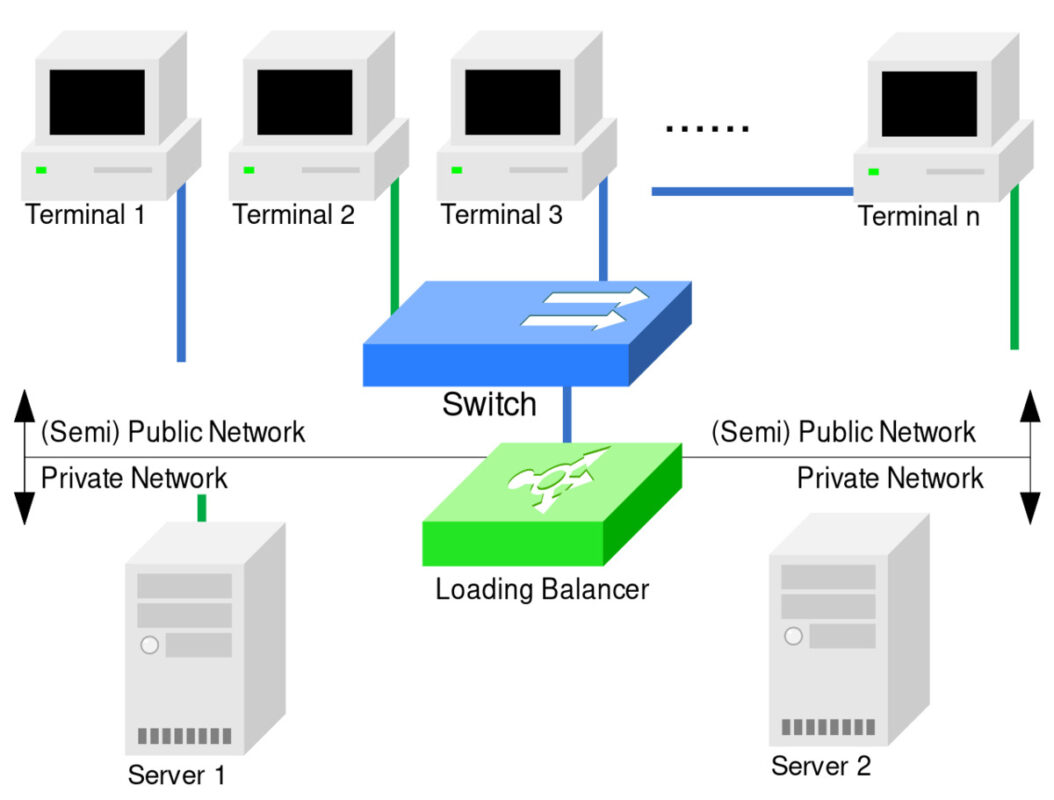
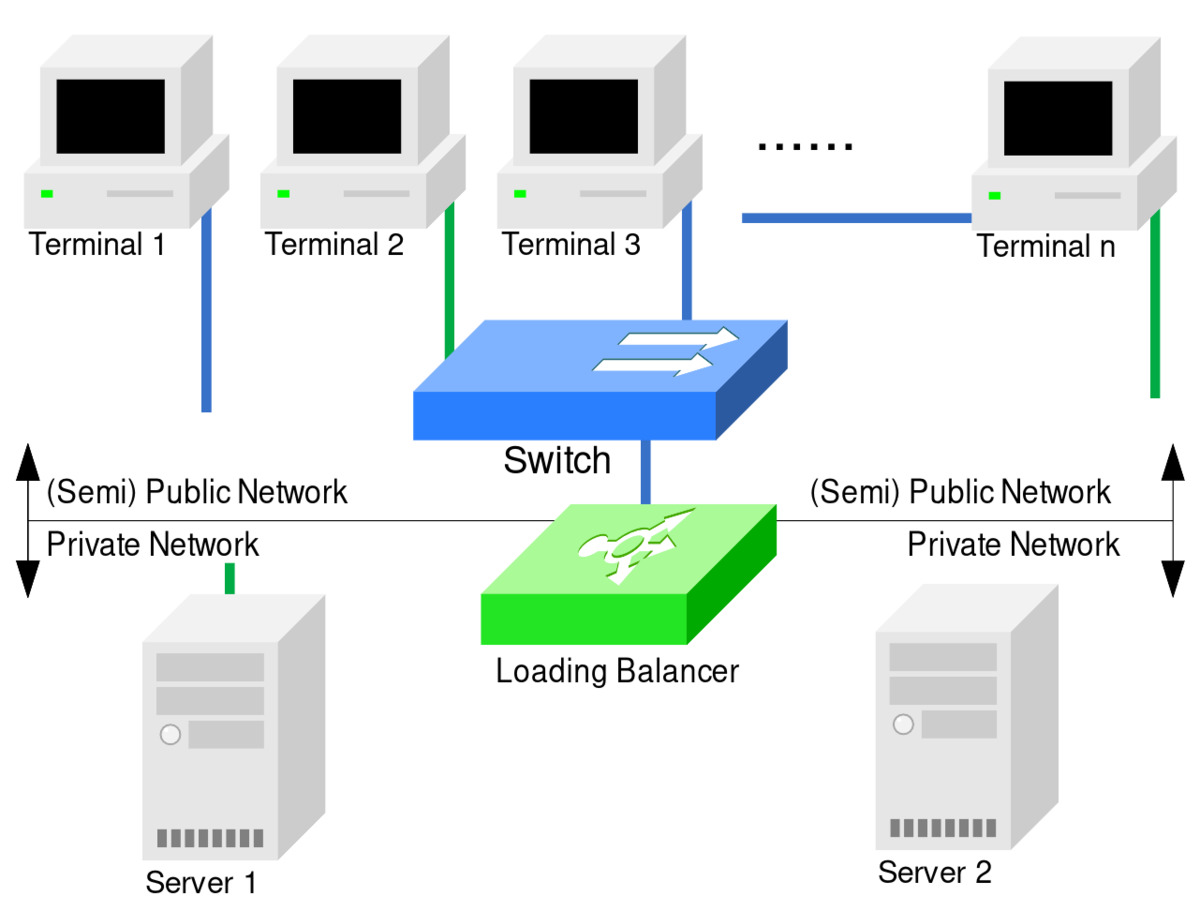
Reverse proxy ngồi giữa client và server, nhận request từ bên ngoài rồi chuyển tiếp đến đúng service nội bộ. Khác với forward proxy (client dùng để ẩn IP), reverse proxy bảo vệ server:
NGINX chính thức định nghĩa:
- Bảo mật: Che giấu IP server nội bộ, ngăn chặn direct attack vào backend.
- SSL Termination: Mã hóa/giải mã tại proxy, giảm tải cho backend.
- Load Balancing: Phân phối request đều qua nhiều server instances.
- Cache: Lưu response tĩnh giảm tải backend đáng kể.
- Compression: Gzip/Brotli response tự động giảm bandwidth.
- Health Check: Tự động phát hiện và loại server lỗi.

Cấu Hình Cơ Bản
server {
    listen 443 ssl http2;
    server_name api.example.com;
    ssl_certificate /etc/ssl/certs/api.crt;
    ssl_certificate_key /etc/ssl/private/api.key;
    ssl_protocols TLSv1.2 TLSv1.3;
    ssl_ciphers HIGH:!aNULL:!MD5;
    location /auth/ { proxy_pass http://auth-service:3001/; }
    location /orders/ { proxy_pass http://order-service:3002/; }
    location /products/ { proxy_pass http://product-service:3003/; }
}
Load Balancing Cho Microservices
Nginx hỗ trợ 5 phương thức load balancing chính, mỗi cái phù hợp với trường hợp khác nhau:
| Method | Mô tả | Dùng khi |
|---|---|---|
| round-robin | Xoay vòng đều | Server ngang nhau, traffic đồng đều |
| least_conn | Gửi ít nhất | Yêu cầu nặng khác nhau |
| ip_hash | Theo IP client | Cần session sticky |
| weighted | Trọng số | Server cấu hình khác nhau |
| generic | Thuật toán tùy chỉnh | Case phức tạp |
Health Check Và Failover
Config health check tích hợp sẵn trong Nginx (chỉ check khi request). Để active health check, dùng nginx-plus hoặc module lua:
upstream backend_cluster {
    server 10.0.1.10:3000 max_fails=3 fail_timeout=30s;
    server 10.0.1.11:3000 max_fails=3 fail_timeout=30s;
    server 10.0.1.12:3000 backup;
    keepalive 32;
}
HAProxy docs bổ sung: keepalive kết nối giảm overhead TCP handshake đáng kể, đặc biệt hiệu quả khi microservice giao tiếp thường xuyên.
Rate Limiting Và Bảo Mật
Rate Limiting
Giới hạn request rate để chống DDoS và abuse API:
limit_req_zone $binary_remote_addr zone=api:10m rate=10r/s;
server {
    location /api/ {
        limit_req zone=api burst=20 nodelay;
        proxy_pass http://api-service:4000/;
    }
}
Bảo Mật Header
Thêm security headers bảo vệ client và thông tin server:
add_header X-Frame-Options DENY;
add_header X-Content-Type-Options nosniff;
add_header Strict-Transport-Security "max-age=31536000";
proxy_hide_header X-Powered-By;
proxy_set_header X-Forwarded-For $proxy_add_x_forwarded_for;
proxy_set_header X-Forwarded-Proto $scheme;
Caching Chiến Lược
Cache static assets và response API tại proxy, giảm thời gian phản hồi:
proxy_cache_path /var/cache/nginx levels=1:2 keys_zone=api_cache:10m;
location /api/products/ {
    proxy_cache api_cache;
    proxy_cache_valid 200 10m;
    proxy_cache_use_stale error timeout updating;
    proxy_pass http://product-service:3003/;
}
SSL Best Practices
Cấu hình SSL hiện đại cho Nginx:
ssl_protocols TLSv1.2 TLSv1.3;
ssl_ciphers ECDHE-ECDSA-AES128-GCM-SHA256:ECDHE-RSA-AES128-GCM-SHA256;
ssl_prefer_server_ciphers on;
ssl_session_cache shared:SSL:10m;
ssl_session_timeout 10m;
ssl_stapling on;
ssl_stapling_verify on;
Ghi Log Và Monitoring
Cấu hình custom log format cho microservices để dễ debug:
log_format microservice '$remote_addr - $upstream_addr - '
                         '$request_time - $status';
access_log /var/log/nginx/microservices.log microservice;
Kết hợp Grafana + Prometheus để monitoring Nginx metrics real-time. Các metrics cần theo dõi:
- Request rate: Số request/giây theo endpoint
- Error rate: Tỷ lệ 4xx/5xx
- Response time: P50, P95, P99 latency
- Upstream failures: Số lần backend error
Troubleshooting Thường Gặp
- 502 Bad Gateway: Backend không respond. Kiểm tra upstream server status.
- 504 Gateway Timeout: Backend quá chậm. Tăng proxy_read_timeout.
- 403 Forbidden: Kiểm tra file permissions và autoindex.
- Connection refused: upstream sai port hoặc server chưa chạy.
Kết Luận
Nginx reverse proxy là thành phần không thể thiếu trong kiến trúc microservices. Với load balancing, health check, SSL termination, rate limiting, caching, monitoring, và troubleshooting — nó giúp đơn giản hóa vận hành hệ thống phân tán, bảo vệ backend, và cải thiện trải nghiệm người dùng. Việc cấu hình đúng và monitoring liên tục sẽ đảm bảo hệ thống luôn hoạt động ổn định.
Nguồn: NGINX.com | NGINX Docs | AWS Architecture | HAProxy | Prometheus | Grafana
Performance Tuning
Tối ưu hiệu suất Nginx cho production:
worker_processes auto;
worker_rlimit_nofile 65535;
events {
    worker_connections 4096;
    multi_accept on;
    use epoll;
}
http {
    sendfile on;
    tcp_nopush on;
    tcp_nodelay on;
    keepalive_timeout 65;
    types_hash_max_size 2048;
    server_tokens off;
}
Các directive quan trọng: worker_processes auto tự động tạo worker theo CPU cores. worker_connections tăng lên 4096 cho high traffic. sendfile on dùng kernel-level file transfer, giảm context switching.
Common Error Codes
| Error | Nguyên nhân | Giải pháp |
|---|---|---|
| 403 Forbidden | File permission hoặc index off | Check chown, chmod, autoindex on |
| 404 Not Found | Root sai hoặc path nhầm | Kiểm tra root directive |
| 502 Bad Gateway | Backend không respond | Check upstream health |
| 504 Gateway Timeout | Backend quá chậm | Tăng proxy_read_timeout 300s |
Load Balancing Algorithm Deep Dive
Round-robin là thuật toán cơ bản nhất, phân phối request theo thứ tự. Tuy nhiên, nếu server A xử lý nhanh hơn server B 5x, server A sẽ bị quá tải. Giải pháp: weight parameter:
upstream backend {
    server 10.0.1.10:3000 weight=5;
    server 10.0.1.11:3000 weight=1;
}
Với config trên, server 10.0.1.10 nhận 5 request cho mỗi 1 request của server 10.0.1.11. Cần monitoring real-time để điều chỉnh weight dynamic.
Ngoài ra, thuật toán least_conn phù hợp khi request có thời gian xử lý không đồng đều, như upload file (nặng) vs GET API (nhẹ).
Kết Luận Mở Rộng
Việc triển khai Nginx reverse proxy cho microservices đòi hỏi kiến thức toàn diện về load balancing, SSL, caching, rate limiting, và monitoring. Không có configuration nào là hoàn hảo từ đầu — cần monitoring liên tục và điều chỉnh theo thời gian. Hãy luôn test cấu hình mới trên staging trước khi deploy production.
Nguồn: NGINX.com | NGINX Docs | AWS Architecture | HAProxy | Prometheus | Grafana | NGINX Wiki