Terminal Multiplexer: Tmux vs Zellij — So sánh & Cấu hình thực tế 2024
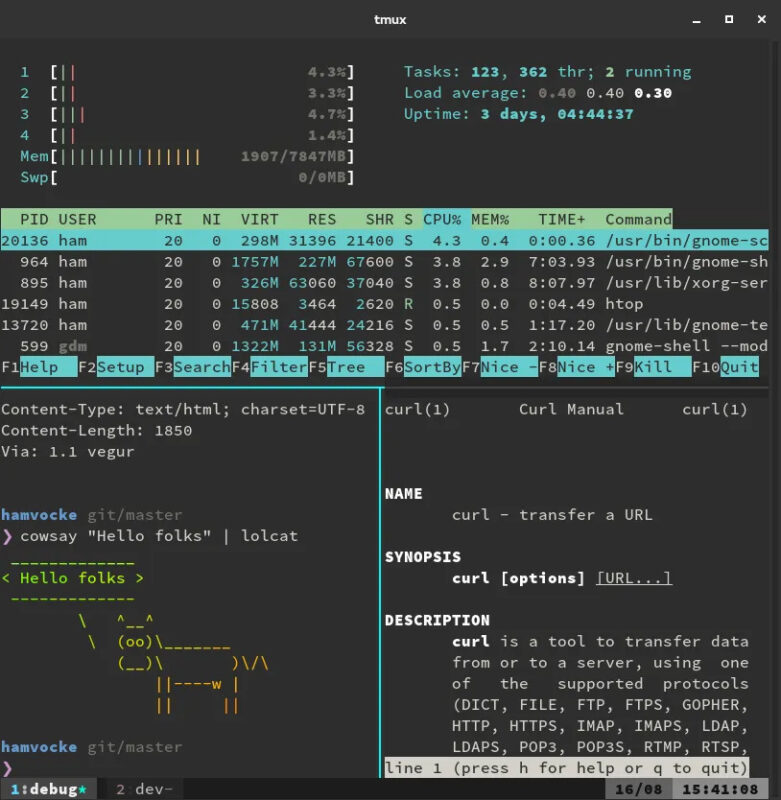
Terminal multiplexer cho phép chia một terminal window thành nhiều pane, session persist sau disconnect, và quản lý workflow phức tạp. Hai cái tên lớn nhất hiện nay: Tmux (mature, ubiquitous, config bằng script) và Zellij (Rust, modern UI, plugin WASM, layout declarative). Bài này so sánh chi tiết để bạn chọn tool phù hợp.
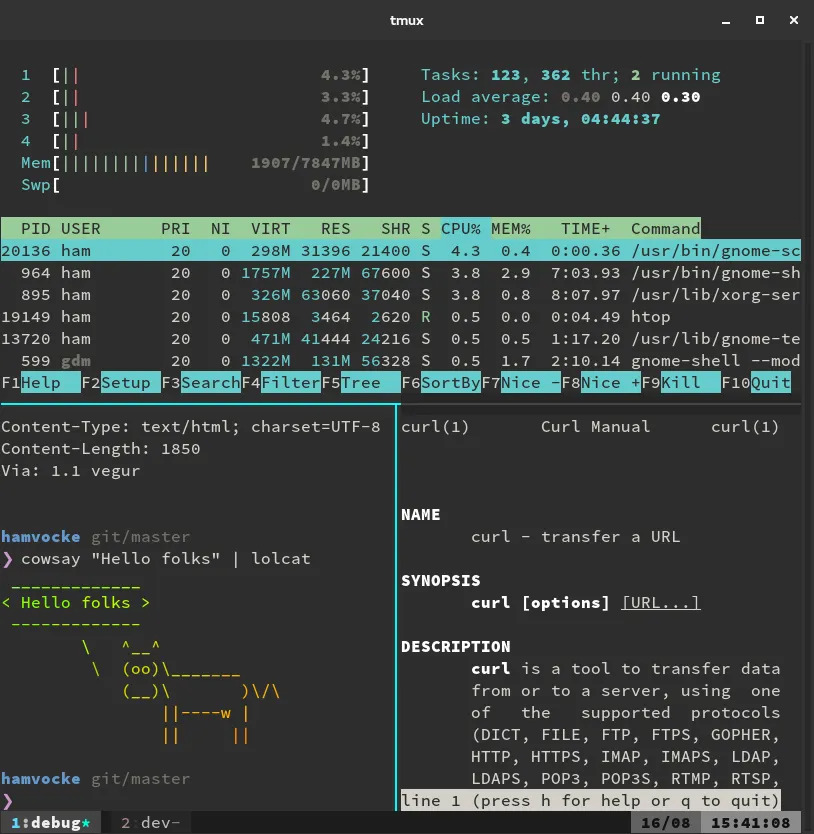
Tmux: Chiến binh 15 năm, mọi nơi có mặt
Tmux (Terminal Multiplexer) ra mắt 2009, viết bằng C, mặc định trên hầu hết Linux distro, macOS (Homebrew), *BSD. Ưu điểm: Zero dependency, chạy mọi nơi (remote SSH, container, VM cũ), scriptable hoàn toàn, ecosystem plugin khổng lồ (tpm — Tmux Plugin Manager), muscle memory chuẩn sysadmin.
Config Tmux hiện đại (~/.tmux.conf)
# Prefix key: C-a (giống screen) thay vì C-b mặc định
unbind C-b
set -g prefix C-a
bind C-a send-prefix

# Quality of life
set -g mouse on
set -g history-limit 100000
set -g base-index 1
setw -g pane-base-index 1
set -g renumber-windows on
set -g escape-time 0
set -g focus-events on

# Vi mode
setw -g mode-keys vi
bind -T copy-mode-vi v send -X begin-selection
bind -T copy-mode-vi y send -X copy-selection-and-cancel

# Split pane: | và - dễ nhớ hơn % và "
bind | split-window -h -c "#{pane_current_path}"
bind - split-window -v -c "#{pane_current_path}"

# Navigate pane: Vim style
bind h select-pane -L
bind j select-pane -D
bind k select-pane -U
bind l select-pane -R

# Resize pane
bind -r H resize-pane -L 5
bind -r J resize-pane -D 5
bind -r K resize-pane -U 5
bind -r L resize-pane -R 5

# Status bar: minimal + CPU/RAM (cần tmux-mem-cpu-load hoặc scripts)
set -g status-interval 2
set -g status-left-length 50
set -g status-right '#[fg=green]#(whoami)@#H #[fg=yellow]%H:%M %d-%b'

# Plugins (tpm)
set -g @plugin 'tmux-plugins/tpm'
set -g @plugin 'tmux-plugins/tmux-sensible'
set -g @plugin 'tmux-plugins/tmux-resurrect'
set -g @plugin 'tmux-plugins/tmux-continuum'
set -g @plugin 'christoomey/vim-tmux-navigator'
run '~/.tmux/plugins/tpm/tpm'
Tmux workflow điển hình
tmux new -s project— tạo session namedtmux attach -t project— attach sessionPrefix + c— new windowPrefix + | / -— split horizontal/verticalPrefix + h/j/k/l— navigate panePrefix + [— copy mode (vi keys)Prefix + d— detachtmux kill-session -t project— kill
Zellij: Challenger hiện đại, Rust + WASM plugins
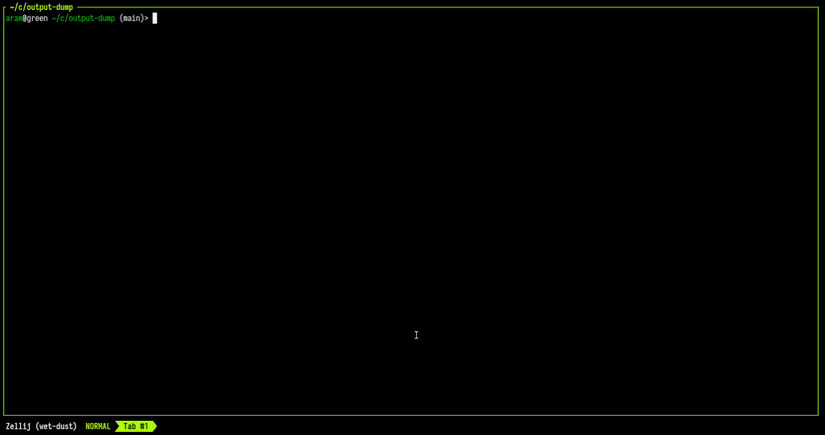
Zellij ra mắt 2021, viết bằng Rust, GPU-accelerated rendering (via vte + wgpu), layout declarative (YAML/KDL), plugin system WASM (rất mạnh: file picker, strider, session manager, status bar custom). Giao diện mặc định đẹp, tab bar, pane border rounded, floating pane, search mode built-in.
Config Zellij (~/.config/zellij/config.kdl)
// Keybinds
keybinds {
    // Unbind default, set prefix Ctrl+Space
    unbind "Ctrl b"
    bind "Ctrl Space" { SwitchToMode "Normal"; }

    // Normal mode
    normal {
        bind "c" { NewTab; }
        bind "n" { NewPane; }
        bind "h" { MoveFocus Left; }
        bind "j" { MoveFocus Down; }
        bind "k" { MoveFocus Up; }
        bind "l" { MoveFocus Right; }
        bind "H" { Resize Left; }
        bind "J" { Resize Down; }
        bind "K" { Resize Up; }
        bind "L" { Resize Right; }
        bind "x" { ClosePane; }
        bind "f" { ToggleFloatingPanes; }
        bind "s" { SwitchToMode "Search"; }
        bind "t" { SwitchToMode "Tab"; }
        bind "p" { SwitchToMode "Pane"; }
    }

    // Search mode: type để filter pane/tab
    search {
        bind "Enter" { SwitchToMode "Normal"; }
        bind "Esc" { SwitchToMode "Normal"; }
    }
}

// UI
ui {
    pane_frames true
    rounded_corners true
    tab_bar_position "top"
    theme "catppuccin-mocha"  // built-in themes
    mouse_mode true
}

// Plugins (WASM)
plugins {
    // Built-in: status-bar, tab-bar, strider (file picker), session-manager
    // Custom: ~/.config/zellij/plugins/*.wasm
}

// Layout mặc định khi `zellij` không args
default_layout {
    // Không auto-split, để user tự chia
}
Zellij layout system (KDL/YAML)
Tạo file ~/.config/zellij/layouts/dev.kdl:
layout {
    default_tab_template {
        pane size=1 borderless=true {
            plugin location="zellij:tab-bar"
        }
        children
    }
    tab name="editor" {
        pane split_direction="Vertical" {
            pane size="70%" {
                pane split_direction="Horizontal" {
                    pane size="50%" command="nvim"
                    pane size="50%" command="lazygit"
                }
            }
            pane size="30%" command="btop"
        }
    }
    tab name="server" {
        pane split_direction="Horizontal" {
            pane command="pnpm dev"
            pane command="pnpm test:watch"
        }
    }
}
Khởi động: zellij --layout dev. Layouts có thể include, extend, override — rất mạnh cho project-specific setup.
So sánh trực diện
| Tiêu chí | Tmux | Zellij |
|---|---|---|
| Language | C | Rust |
| Dependencies | libevent, ncurses (minimal) | Rust toolchain (build), GPU optional |
| Ubiquity | Mặc định mọi server | Cần install (binary 8-12MB) |
| Config | Script (.conf) | KDL/YAML (declarative) |
| Plugin system | Shell script (tpm) | WASM (sandboxed, performant) |
| Layout persistence | tmux-resurrect/continuum | Layout file + session serialization |
| Scrollback search | Copy mode + regex | Built-in search mode (Ctrl+S) |
| Floating pane | Khó (script phức tạp) | Native (ToggleFloatingPanes) |
| Remote SSH | Native, zero-latency | Cần zellij trên server |
| Resource usage | Rất thấp (~2-5MB RAM) | Cao hơn (~30-50MB RAM, GPU) |
| Learning curve | Cao (prefix, mode, script) | Thấp (UI gợi ý, mode-based) |
| Terminal emulator integration | Mọi terminal | Cần true-color, Kitty graphics protocol cho image |
Khi nào chọn Tmux?
- Sysadmin/DevOps: SSH vào server production hàng ngày, không control được software cài đặt.
- Container/CI: Chạy trong Docker, GitHub Actions, GitLab CI — tmux có sẵn, binary nhỏ.
- Muscle memory 10+ năm: Không muốn relearn keybind.
- Minimalist: Chỉ cần session/pane persist, không cần UI đẹp.
Khi nào chọn Zellij?
- Developer local machine: Control được env, muốn UX hiện đại, plugin WASM (strider file picker, session manager, custom status).
- Layout-driven workflow: Mỗi project một layout file, chia sẻ với team qua dotfiles repo.
- Floating pane workflow: Scratchpad, lazygit float, calculator, AI chat overlay.
- Search-heavy: Tìm kiếm scrollback, pane content thường xuyên.
- Rust enthusiast: Hack plugin WASM, contribute core.
Kết hợp cả hai: Tmux trên remote, Zellij local
Pattern phổ biến 2024: Zellij trên laptop/desktop (local dev), Tmux trên remote server (SSH). Zellij có thể connect vào tmux session remote qua SSH (experimental), hoặc đơn giản: ssh user@server -t tmux attach -t main. Dotfiles sync config cả hai.
Migration tips: Tmux → Zellij
- Keybind: Set prefix
Ctrl+Space(giống TmuxCtrl+anếu remap). - Session persist: Zellij auto-serialize session state, không cần plugin.
- Plugin:
zellij-run-pluginđể test WASM plugin local. - Scrollback: Zellij search mode (
Ctrl+s) thay vì copy mode.